Flat Lay Clothing Photography for Ecommerce Brands
Flat lay clothing photography is one of the fastest ways to create clean, professional product images for apparel ecommerce. This guide focuses strictly on clothing: how to photograph garments from directly above so shoppers, fashion editors, and AI model-photo tools can clearly evaluate shape, color, fabric, trims, and key construction details.
For fashion teams, a well-executed flat lay remains an essential product-page asset. It can also serve as the foundational source image for DrapeShot fashion visual workflows, including AI model photos, virtual try-ons, updated product imagery, cohesive image sets, custom backgrounds, and canvas expansions.
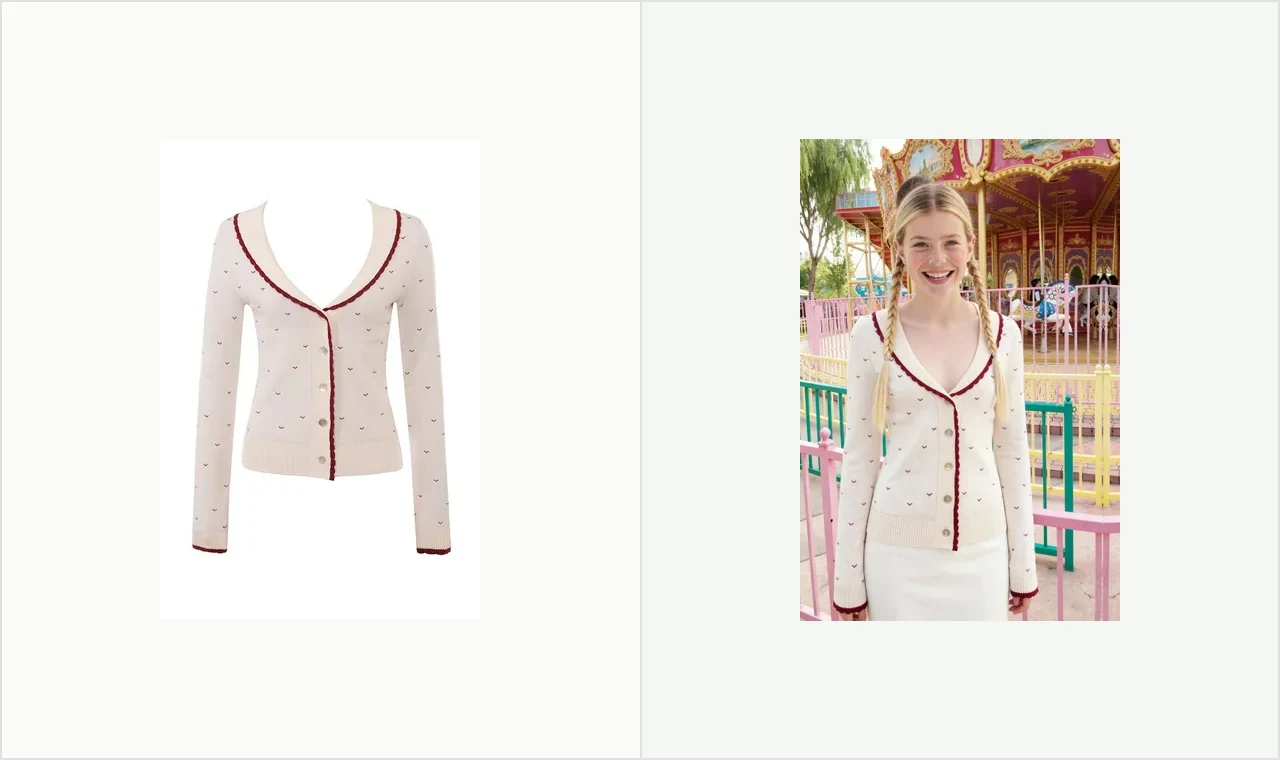
What is flat lay clothing photography?
Flat lay clothing photography is a top-down product photo of a garment arranged on a horizontal surface. The goal is to present the apparel with high visual clarity for two distinct audiences: the online shopper who needs product confidence, and the AI workflow that requires an accurate, distraction-free garment reference.
While the broader keyword "flat lay photography" covers a vast range of subjects, it is too general for commercial apparel needs. Lifestyle desk setups, food, stationery, and beauty products are not the focus here. Flat lay product photography for apparel operates under stricter rules: the silhouette, neckline, sleeve angle, hemline, buttons, fabric texture, and exact color must all remain fully visible. As a general rule, props should be excluded from the frame whenever the image is intended as an AI input.
When flat lay works best for apparel
Flat lay photography excels when a garment can clearly communicate its value without needing body volume. T-shirts, sweaters, cardigans, scarves, knit tops, children's apparel, simple trousers, and folded sets typically photograph exceptionally well from above.
This approach is particularly effective for lightweight catalog shoots, simple garments where print or trim is the main selling point, early collection reviews, clean front-view reference shots, and initial source images for AI-assisted model-photo generation.
Conversely, flat lay is less effective when fit, tailored drape, scale, or body movement are crucial to closing the sale. A structured blazer, tailored dress, activewear set, or flowing skirt will still benefit significantly from a live model, mannequin, pinned wall shot, or ghost mannequin image.
How do you take flat lay pictures of clothes?
To capture high-quality flat lay pictures of clothing, lay a single garment on a clean surface, shape it accurately, light it evenly, position the camera perfectly parallel overhead, and ensure no elements obscure the edges, hems, openings, or construction details.
Always start with garment preparation rather than camera gear. Steam or press the piece, remove lint, fasten buttons or zippers, align the seams, and carefully decide how the product should sit.
Select a background surface that maintains true color. White, light gray, and soft neutral backgrounds make product colors easier to review while helping AI tools cleanly isolate the garment from its background. While textured fabric, wood, or paper can work well for editorial scenes, they serve as weaker inputs for automated AI workflows.
Mount your camera or smartphone directly above the garment. If the top edge of the item appears wider than the bottom, your camera is tilted. An overhead tripod setup is ideal, though a stable overhead phone mount works perfectly well for smaller batches.
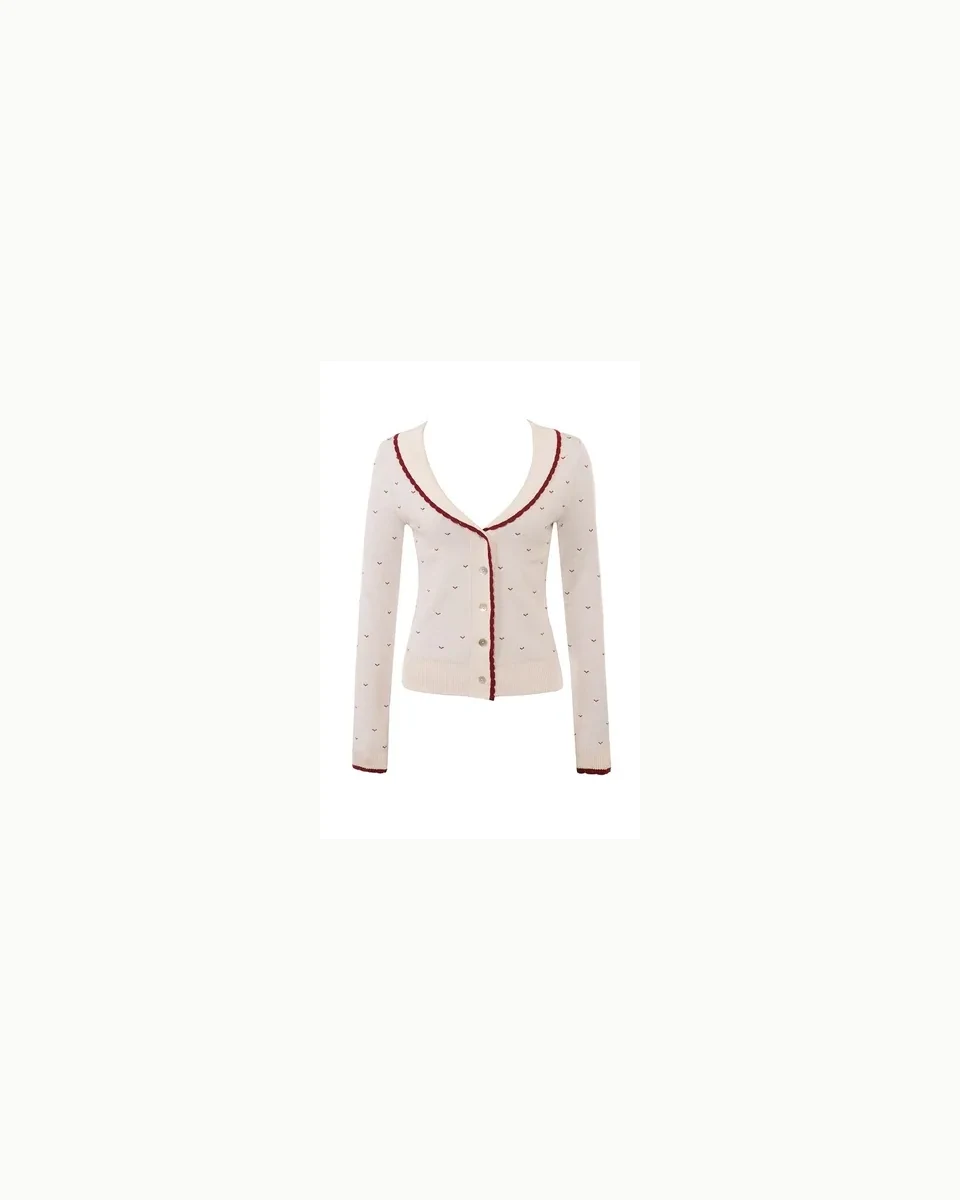
What is the best flat lay clothing photography setup?
The optimal flat lay clothing setup includes a fixed overhead camera mount, a clean neutral background, soft controlled lighting, and sufficient space to display the complete garment. The primary goal is to make the clothing easy to inspect, not just aesthetically pleasing.
Avoid mixing natural daylight with warm indoor lighting. Conflicting color temperatures cause unpredictable color shifts from shot to shot. If you shoot near a window, turn off overhead lights; if you use studio lighting, keep the setup strictly fixed and consistent.
For ecommerce and AI processing, shadows should be carefully managed. Light directional shadows help showcase fabric texture, whereas heavy side shadows hide seam details and complicate automatic cutout generation or AI model-photo creation. Crisp, clean edges are far more important than dramatic lighting effects.
Styling rules that make garments easier for AI to read
Styling an apparel flat lay is about making the product easy to interpret. Both human shoppers and AI algorithms should instantly recognize where the neckline begins, where sleeves terminate, the exact length of the hem, and whether a detail belongs to the garment itself or an adjacent prop.
Follow these core rules before shooting a full catalog batch:
- Maintain honest proportions: Do not overstretch knits or fabrics in a way that misrepresents the true fit on the product page.
- Show closures clearly: Ensure buttons, zippers, drawstrings, and waistbands do not get buried in fabric folds.
- Control wrinkles carefully: Steam away distracting creases while preserving natural fabric drape that helps convey texture.
- Maintain consistent scale: Keep cropping and sizing uniform across all garments in the same product grid.
- Keep props away from edges: Avoid placing props near the garment border to prevent confusing AI vision models.
- Keep the full garment visible: Cropped sleeves, hidden hems, or folded collars reduce the usability of the image as an AI source file.
When styling multi-piece sets, position items so their relationship is clear while maintaining distinct, readable outlines for each piece. If your flat lay images are slated for an AI fashion model generator, distinct edges, neutral backgrounds, and clear structural lines will yield far better results than elaborate prop styling.
What clothes work best for flat lay photos?
Garments with straightforward silhouettes, clear surface textures, and minimal dependency on body structure yield the best flat lay results. Use this method for basic tees, knits, cardigans, scarves, childrenswear, and simple bottoms. Reserve live models or mannequins for items where tailored fit and body drape drive purchasing decisions.
Flat lay photography excels at highlighting graphics, embroidery, knit textures, button details, colorways, and fabric finishes. It is less effective for showing blazer shoulder structures, fitted waistlines, movement-heavy dresses, or pants where rise and leg drape require a human frame. Use flat lay for primary product reference, and supplement with model, mannequin, or close-up detail shots when fit needs additional visual support.
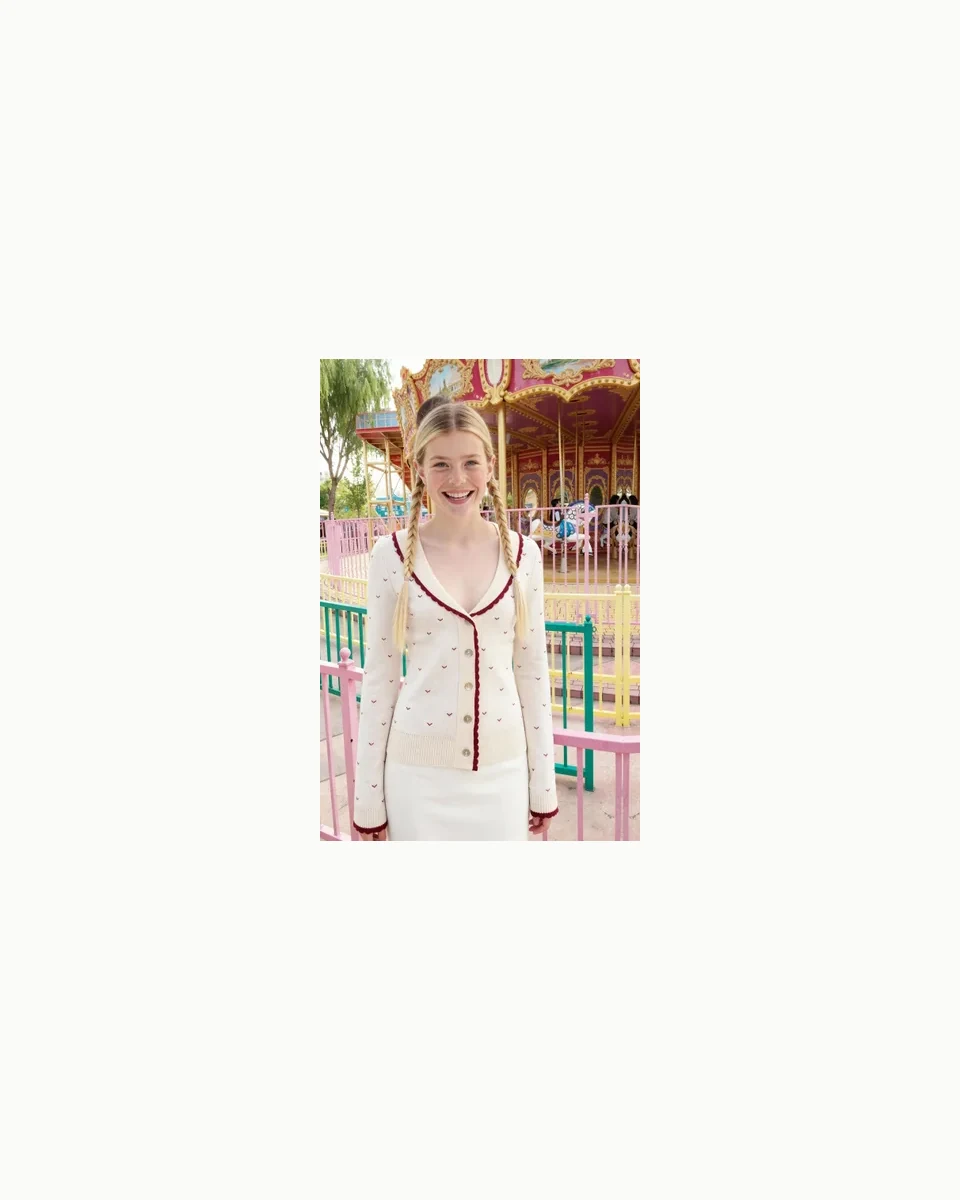
How do you avoid shadows in flat lay photography?
To eliminate harsh shadows in flat lay photography, use a large diffused light source, avoid positioning lights at steep side angles, and place a white reflector board opposite your key light. Pay extra attention to shadows cast around raised collars, cuffs, buttons, and fabric folds.
If dark shadows persist, move your key light closer or introduce a white foam board directly opposite the light source. For very light or white fabrics, be careful not to over-diffuse the lighting, as completely flat light can erase essential fabric texture. Always review test shots on a mobile screen before capturing a full batch.
Flat lay versus on-model images for ecommerce decisions
Flat lay and on-model photography serve different customer needs. A flat lay image answers "What does this item look like?" while an on-model photo answers "How will this look when worn?" High-converting product pages frequently utilize both.
Flat lay photography is significantly faster and easier to standardize across large SKU counts. On-model imagery excels at providing scale, lifestyle styling, silhouette context, and emotional appeal. Ghost mannequin photography offers a middle ground, providing 3D body structure without requiring a visible model.
DrapeShot’s model-photo workflow allows you to upload one to five garment source photos, input a targeted prompt, choose a generation model, set an aspect ratio, and select output quantities—generating diverse visual options to evaluate before publishing across product pages, advertisements, social media, or lookbooks.
Can flat lay photos be used for AI model images?
Yes, flat lay photos make excellent input sources for AI model image generation—provided the garment is fully visible, properly lit, clearly defined, and separated from the background. Think of your source photo as clear product evidence: full garment visible, crisp boundaries, accurate color, and zero decorative clutter.
Avoid busy backgrounds, cut-off hems, overlapping props, deep shadows, or folded areas that hide seam construction. If the input photo fails to show the true structure of the clothing, the resulting AI output will be unreliable.
Once generated, systematically cross-reference the output with your source image. Verify the neckline, button count, pocket placement, sleeve shape, fabric texture, overall silhouette, and color accuracy before publishing.
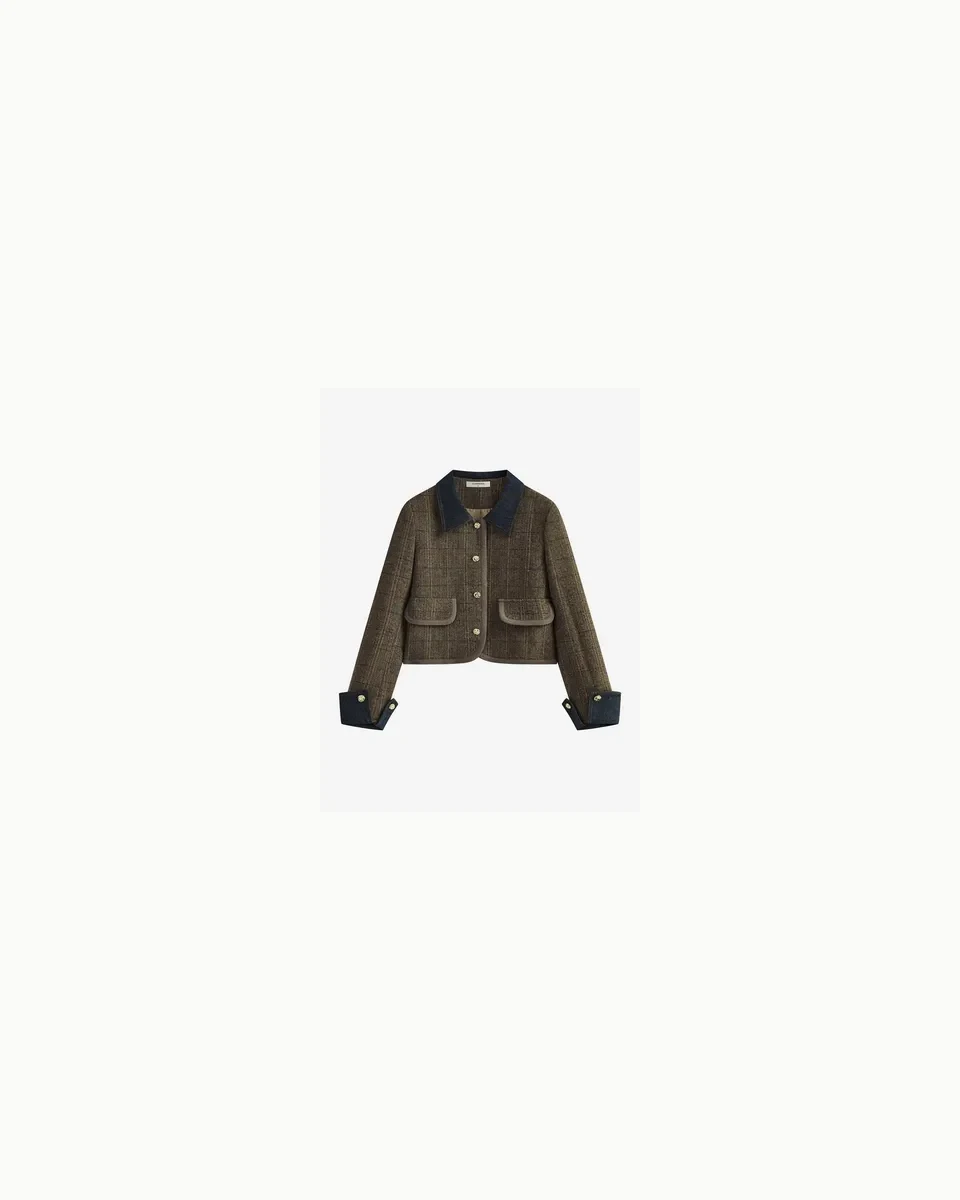
When DrapeShot fits into a flat lay workflow
DrapeShot integrates into your pipeline right after you have captured clean, accurate garment photos. It allows you to transform static product references into fully realized model shots, lifestyle backgrounds, image variations, and expanded canvas layouts. Its model-photo tool supports 1 to 5 source images, custom prompts, advanced generation models like GPT Image 2 or Nano Banana Pro, multiple aspect ratios (1:1, 3:4, 4:5, 9:16, 16:9), and outputs of 1, 2, or 4 images per run.
A practical production workflow is straightforward: shoot an AI-ready flat lay, upload your garment images, describe your desired model aesthetic in the prompt, configure your settings, and review the AI output against the original item. Because the platform does not use rigid model templates, the precision of your prompt and the quality of your source photo directly steer the final output.
For commercial catalogs, paid media, or client deliverables, ensure you select the appropriate plan. DrapeShot’s annual self-serve plans and enterprise options include full commercial usage rights; free trial credits and monthly subscriptions are intended for internal evaluation or testing purposes. The Starter Annual plan is priced at $100 per year—more cost-effective than four monthly payments at $119.96.
New accounts receive 100 registration credits valid for 7 days (roughly enough for 2 image generations at current rates). This credit allocation is ideal for testing system capabilities, but does not grant commercial licensing.
Build a repeatable flat lay system before scaling
Flat lay clothing photography offers maximum value when it is standardized and machine-readable. Define your background surface, lighting angles, camera height, crop boundaries, garment preparation standards, shadow intensity, and file naming conventions before shooting an entire collection.
For fashion brands and ecommerce sellers, the goal is not to choose between "flat lay or AI." The winning approach starts with clean garment documentation, followed by selective AI visual expansion. Use flat lay shots to accurately record product details, leverage DrapeShot’s model-photo workflow to explore on-model looks, and rely on human quality control as the final approval step before going live.
FAQ
Is flat lay photography good for clothing?
Yes, flat lay photography is ideal for garments that lay flat naturally and convey their value easily from a top-down view. It works exceptionally well for T-shirts, knits, cardigans, scarves, simple bottoms, and items where color, pattern, or fabric texture are the main highlights.
What is the difference between flat lay photography and product photography?
Flat lay photography is a specific style of product photography. In the context of this guide, it refers specifically to clothing photographed from directly above for ecommerce listings and AI input references, rather than creative lifestyle or tabletop props styling.
What is the best background for flat lay photography?
A clean white, light gray, or neutral background is optimal for apparel flat lay photography. Neutral tones eliminate color cast, keep focus on the product, and assist AI vision tools in isolating garment edges accurately.
Do I need a professional camera for flat lay clothing photos?
No, a professional camera is not strictly required. A modern smartphone can produce great results for small product runs, provided lighting, camera angle, garment prep, and focus remain strictly controlled.
Should flat lay clothes be folded or fully spread out?
Choose the layout that best answers the shopper's primary question. Fully laid-out garments clearly show shape, fit, and construction details. Folded styling works well for showing fabric weight, packaging presentations, multi-color stories, or supplemental gallery shots.
Can I use DrapeShot outputs for commercial product pages?
Yes, DrapeShot outputs can be used commercially if your subscription includes commercial rights. Annual self-serve plans and enterprise tiers grant commercial licensing, whereas free credits and monthly plans are restricted to non-commercial evaluation.