Skip to main content
AI Product Photography
Product style
Choose the visual direction for the generated photo.
AI will generate high-quality visuals based on your uploads and settings.
Excellent cases
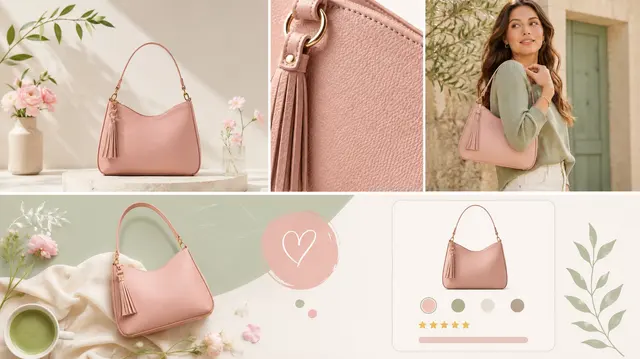
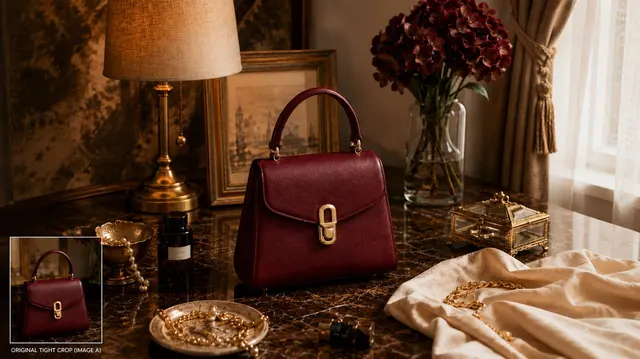
Create Fashion Product Photos with AI
Upload one to five product images, choose Marketplace, Studio Clean, Lifestyle, or Luxury, then select an aspect ratio and one, two, or four outputs.
Capabilities
- Accepts one to five product images.
- Offers Marketplace, Studio Clean, Lifestyle, and Luxury choices.
- Offers one, two, or four outputs.
How it works
- 01Upload product images.
- 02Select a product-photo direction.
- 03Choose a ratio and output count before generating.
Input tips
- Use product images with the item clearly visible.
- Choose the direction that matches the image use you are reviewing.
- Review generated images before publishing.
What to review
- Generated images can vary and should be reviewed.
- The available directions are Marketplace, Studio Clean, Lifestyle, and Luxury.
Frequently asked questions
What source images can I use?
Upload one to five product images with the item clearly visible.
Which product-photo styles are available?
Choose Marketplace, Studio Clean, Lifestyle, or Luxury.
Which aspect ratios are available?
The ratio control offers 1:1, 3:4, 4:5, 9:16, and 16:9.
How many product photos will the task request?
The task follows the selected output count: one, two, or four images.
How many credits do product photos cost?
The exact credit cost depends on the selected model and your active plan, and it is shown before generation.
Should I review logos and branding in the result?
Yes. Compare visible logos, labels, text, colors, and product details with the source before using the image.